

What’s included in each package
Clinical Intelligence
Bring the patient’s history into focus, support decisions during the visit, and turn each encounter into documentation and insights your team can use.
Patient Assessment
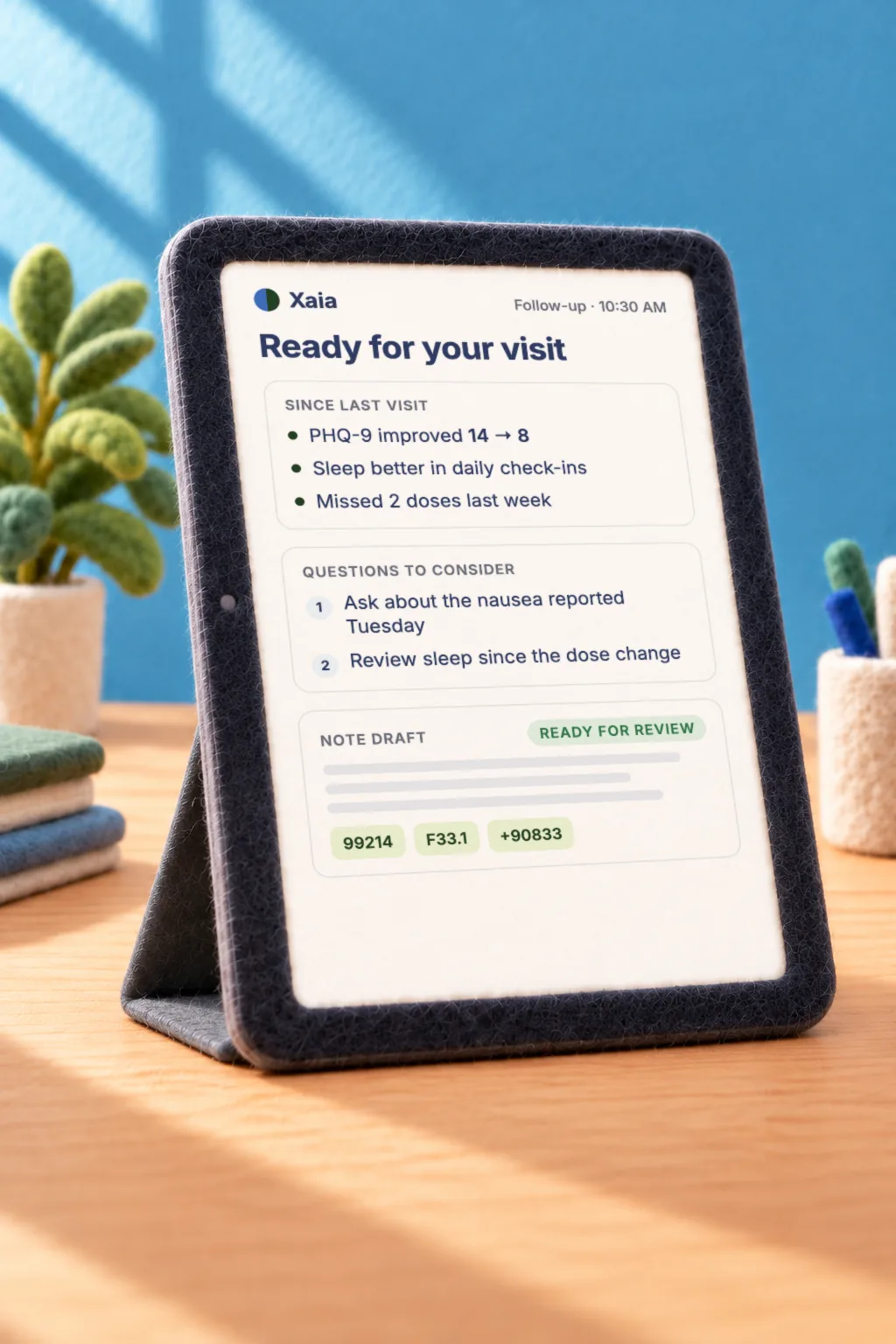
Intake, screening, and a chart summary are done before the clinician walks into the room.
Guided Chart Review
Summarizes the patient’s history, prior care plan, relevant labs, and gaps in care from the full record, so the clinician walks in already oriented.
Conversational Intake
Patients complete intake by chat or voice in their own words, and Xaia organizes their answers for the care team before the visit.
Validated Screening
Gives and scores instruments like the PHQ-9 and GAD-7 during intake, then charts the scores over time so the clinician can see how the patient is trending.
Documentation & Decision Support
Support clinical decisions as the visit unfolds, then prepare notes and coding suggestions for the clinician to review.
Scribing & Dictation
Captures the visit and drafts a structured note in the clinician’s style and your templates, or turns a few spoken sentences into a full note, ready for review before it syncs to the EHR.
Decision Support
Flags possible diagnoses, red flags, and departures from guidelines during the visit, with follow-up questions to ask and citations the clinician can check.
Coding & Charge Capture
Suggests diagnosis and procedure codes, visit levels, and charges from the documentation, for the clinician to review before anything is submitted.
Clinical Review & Insights
Find answers in patient records, identify patterns across populations, and assess the quality of recorded visits and their documentation.
Ask Xaia
Answers plain-language questions about the full patient record, with the evidence behind each answer.
Population Analysis
Asks the same question across many patient records at once to spot patterns, assess risk, and support research, with results you can export.
Visit Quality Assessment
Scores recorded visits on things like empathy, open-ended questions, and history-taking, and flags gaps between what the patient said and what the note says.
Patient Engagement
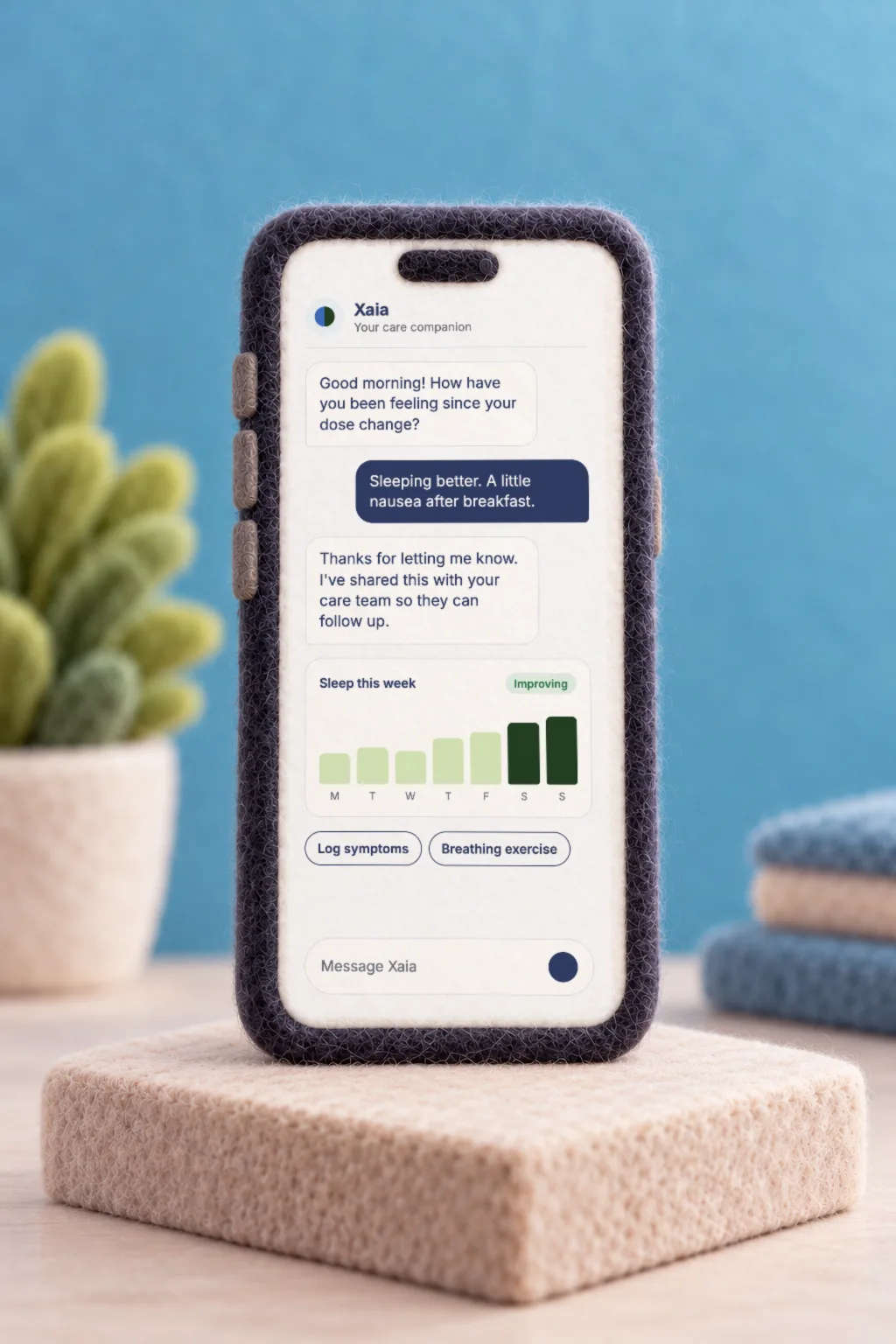
Give patients support that builds on what happened in the visit, helping them follow their care plan while keeping clinicians informed as their needs change.
Visit Companion
Help patients capture what happens during visits, understand their care plan, and ask questions about their treatment and next steps.
Patient Scribe
Patients start recording with one tap and follow a live transcript that explains medical terms in plain language and highlights what to remember.
After-Visit Summaries
Turns the visit into a plain-language summary of the care plan, with action items that become reminders, appointments, and check-ins.
Health Record Q&A
Patients can ask about their visits, care plan, and record in plain language, and get answers drawn from what their clinicians said and documented.
Coaching & Self-Care
Give patients around-the-clock access to AI coaching, guided programs, and education to help them follow their care plan between appointments.
Guided Programs
Multi-session programs configured for the patient’s condition, with homework, progress tracking, and a health coach available by text or voice around the clock.
Patient Education
Answers patient questions using only educational content your organization has approved.
Meditation & Breathwork
Creates guided meditations and breathing exercises in real time, personalized to each patient.
Remote Monitoring & Symptom Tracking
Track symptoms, assessments, and wearable trends, and flag patient interactions that may need attention or follow-up from the care team.
Between-Visit Assessments
Sends validated assessments on demand or on a schedule, and adds the results to the trends the clinician sees.
Wearables Integration
Connects Apple Health, Oura, Fitbit, Garmin, Withings, and Whoop, so patients and clinicians can follow patterns in sleep, heart rate, and activity.
Risk & Crisis Escalation
Screens patient conversations for risk using your criteria, gives emergency guidance when needed, and alerts the care team to follow up.

Xaia Advocate
Your patients get Patient Engagement through Xaia Advocate on iPhone and Android, with their visits, summaries, coaching, and check-ins in one app.
See Xaia AdvocatePractice Operations
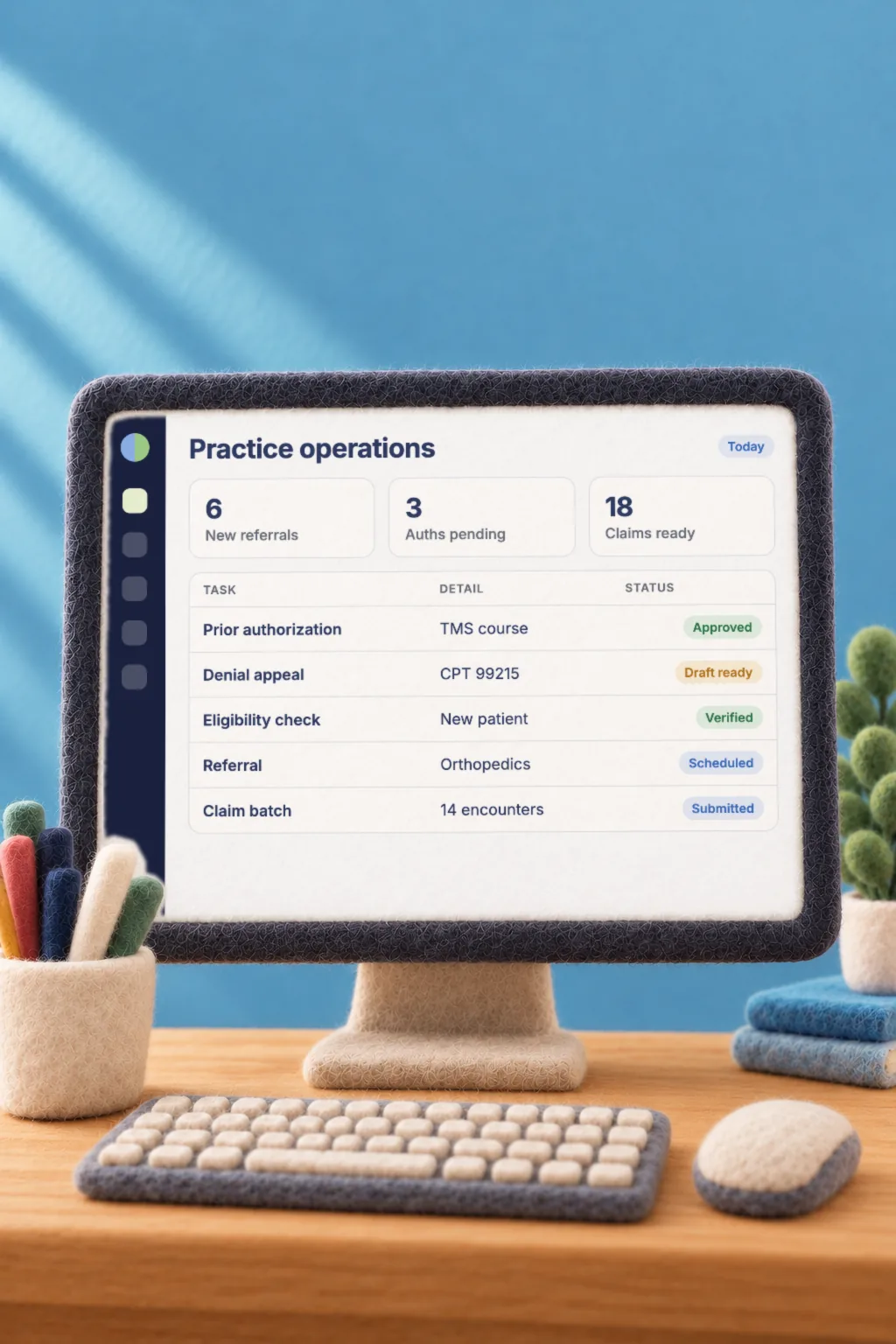
Reduce the work involved in coordinating patient access, meeting payer requirements, and collecting for the care your practice provides.
Access & Referrals
Help patients reach the right clinician through triage, provider matching, and scheduling, with outreach that keeps them connected to care.
Triage & Provider Matching
Gathers what each new patient needs based on their reason for care, sends uncertain cases for human review, and recommends providers by fit, location, insurance, and availability.
Scheduling & Outreach
Lets patients book by text, email, or web link, including full treatment courses like TMS, and follows up on missed, cancelled, and unbooked visits.
Referral Management
Routes incoming referrals to the right clinician and drafts letters back to referring physicians in your format.
Insurance & Authorizations
Verify coverage and prepare payer requests using the patient’s chart and applicable clinical criteria to support the care being requested.
Insurance Verification
Checks the patient’s coverage before the visit, so problems don’t wait until check-in.
Prior Authorization
Fills authorization forms from the patient’s chart and drafts a supporting letter based on applicable guidelines.
Utilization Management
Drafts payer justification notes for inpatient stays against licensed clinical criteria, built for health systems.
Revenue Cycle
Audit charges against the documentation, prepare denial appeals supported by clinical evidence, and manage the claims and collections that follow care.
Denial Appeals
Drafts responses to insurance denials using the chart and supporting literature, answering each of the payer’s reasons point by point.
Revenue Audits
Reviews completed visits against their documentation and reports back where billing doesn’t reflect the care that was provided.
Billing & Claims
Handles claims submission, invoicing, and collections through Xaia. Available separately from the packages.
*Billing & Claims is an add-on, sold separately from the packages.
Book a demo for Practice OperationsThis has changed how I see patients. The notes reflect the conversations I’m actually having, and the clinical insights matter just as much. On one complicated case, Xaia surfaced information that changed our plan, and the residents were blown away. It’s the single most impactful software I’ve ever used in medicine.
See how Xaia fits your practice
Tell us what you want to improve. We’ll tailor the demo to your specialty, your workflows, and the needs of your team.
- Book a demo with our team.
- Tell us what’s slowing your practice down.
- We configure Xaia around your existing protocols, templates, and EHR.
- Your team is live in 2 to 4 weeks.
Prefer email? Contact us at contact@xaia.health.